


Vipink
LC501XL Ink Cartridges Compatible for LC501XL LC501 ink for Brother LC501 Ink Cartridge for Brother MFC-J1260DW MFC-J1360DW MFC-J1410DW Printer, 8 Pack
LC501XL Ink Cartridges Compatible for LC501XL LC501 ink for Brother LC501 Ink Cartridge for Brother MFC-J1260DW MFC-J1360DW MFC-J1410DW Printer, 8 Pack
Couldn't load pickup availability
?????????????? ???????? ???????????????? ???????????????????? ???????? ?????????????? ?????? ???????????????????? ¡ª ???????????????? ???? ?????????????? ???????????????? ??????????????????????, ?????????? ????????, ?????? ?????????? ??????????.
LC501 ink cartridges perfectly replace compatible for Brother LC501/LC501XL, LC501 ink replacements is compatible with Brother MFC-J1360DW, MFC-J1410DW & MFC-J1260W printers for seamless, error-free recognition via upgraded smart chips international model. This all-in-one set contains 1 black, 1 cyan, 1 magenta and 1 yellow cartridge to meet all daily printing demands. The black cartridge delivers up to 500 A4 pages while each color yields 500 pages under standard 5% coverage. Formulated with premium ink,it prints crisp sharp texts, vivid photos and precise color documents without streaks, bringing hassle-free, consistent high-quality printing for home & office use at a budget-friendly value.
?? Package Contents
? 2 x LC501XL Black Ink Cartridge
?? 2 x LC501XL Cyan Ink Cartridge
?? 2 x LC501XL Magenta Ink Cartridge
?? 2 x LC501XL Yellow Ink Cartridge
?? Page Yield
?? Black: Up to 500 pages
?? Color (C/M/Y): Up to 500 pages (at 5% coverage, Letter/A4)
??? Compatible Printers
?? Brother Work Smart MFC-J1260DW
?? Brother Work Smart MFC-J1360DW
?? Brother Work Smart MFC-J1410DW
?? Please confirm your printer model before purchase.
?? Installation Instructions
1. Error Message Solutions for "Non-Brother Ink"
Step 1:During the first installation, the printer will display "Non-Brother Ink". This is a normal message and will not affect your print job.
Step 2:Press Dto comfirm the message until the following screen appears.
Step 3:Press to check the Ink Levels.
2.Troubleshooting-"Cannot Detect Ink" or "No Ink Cartridge"
Step 1. If the following message is prompted after installing the ink cartridge: "Cannot Detect Ink" "Cannot Detect" "Install Ink"
Step 2. Remove and reinstall the ink cartridge, then close the door.
Step 3. Repeat the above steps 2-3 times until the error message disappears.
? Why Choose Vipink LC501XL Ink Cartridges
1.Better Packaging Protection: Professional color box packing and multi-layer shockproof packing can avoid product damage during transportation and distribution.
2.High Performance: Convenient and cost-effective for daily use such as school, work, and home printing.
3.Reliable quality: premium quality ink delivers crisp text and graphics.
4.Convenient: These ink cartridges are conveniently equipped with a smart chip that allows you to monitor and track your ink levels.
5.Methodically Tested: Each of the cartridges has been methodically tested to ensure the full working condition and superior print quality.
6.High-Quality Standard: It was precisely designed to deliver clear and crisp printing results to satisfy your needs.
7.Long-lasting and Smooth Printing: Advanced ink technology and sealing processes prevent ink from drying out, ensuring a steady supply for efficient printing tasks and reducing replacement frequency.
8.With Latest Chip: Experience seamless compatibility with LC501 ink cartridges 8 Pack. Our cartridges feature built-in latest chips, eliminating the need to transfer old ones
9.Reliable Performance: They are certified with ISO9001 and ISO14001 for stable quality printouts, ensuring professional documents, graphics and photos
10.24-Hour Technical Support: Our team offers 24/7 technical support to address any product-related inquiries or issues in a timely and efficient manner, pls contact us any time.
Materials
Materials
Shipping & Returns
Shipping & Returns
Dimensions
Dimensions
Care Instructions
Care Instructions
Share


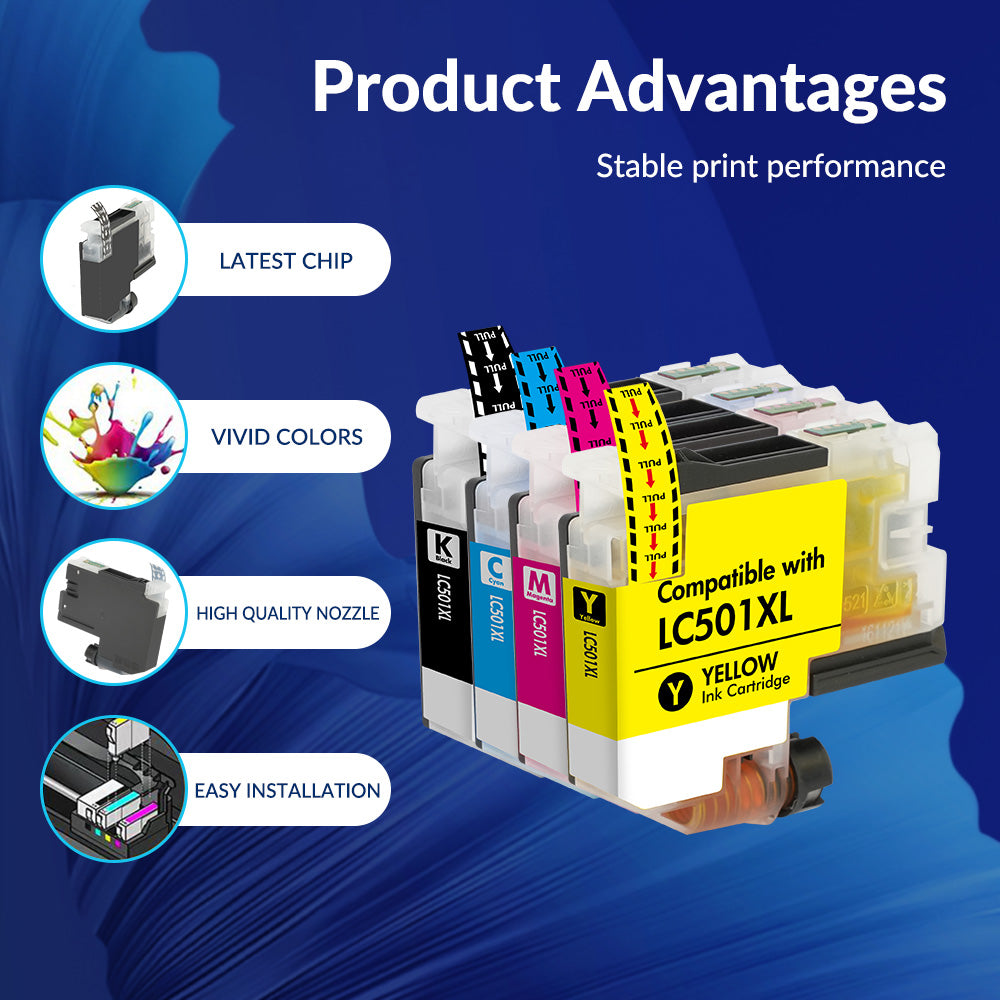
Image with text
Pair text with an image to focus on your chosen product, collection, or blog post. Add details on availability, style, or even provide a review.
-
Free Shipping
Pair text with an image to focus on your chosen product, collection, or blog post. Add details on availability, style, or even provide a review.
-
Hassle-Free Exchanges
Pair text with an image to focus on your chosen product, collection, or blog post. Add details on availability, style, or even provide a review.